
This integration allows users to customize workflows based on the SEOAnt Broken Link Redirect app.
Note: Shopify Flow is only available to merchants on the Shopify, Advanced, or Shopify Plus plan.
Here are the steps:
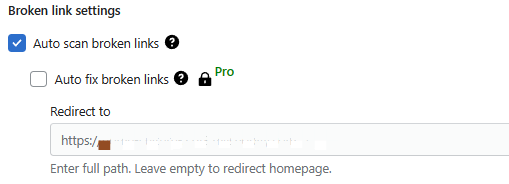
Note: We recommend free users to integrate the SEOAnt Broken Link Redirect app with Shopify Flow. Pro and Premium users can go straight to Broken link settings, and enable Auto fix broken links to deal with any broken links.
Step 1
Go to Shopify Flow admin > Create workflow
As an example, users can automate the workflow of redirecting any broken link (once detected) into an active URL.

Step 2
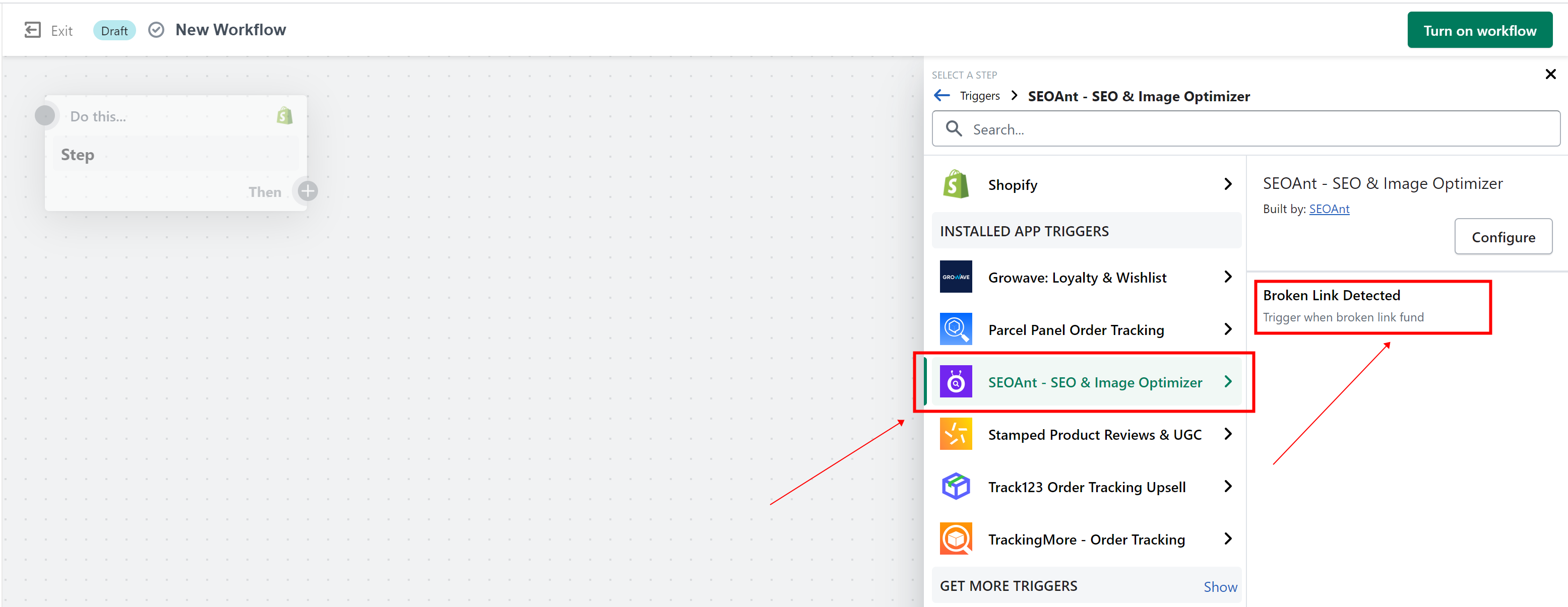
Click Select a trigger to start mapping your workflow → locate the SEOAnt section → click Broken Link Detected
Step 3
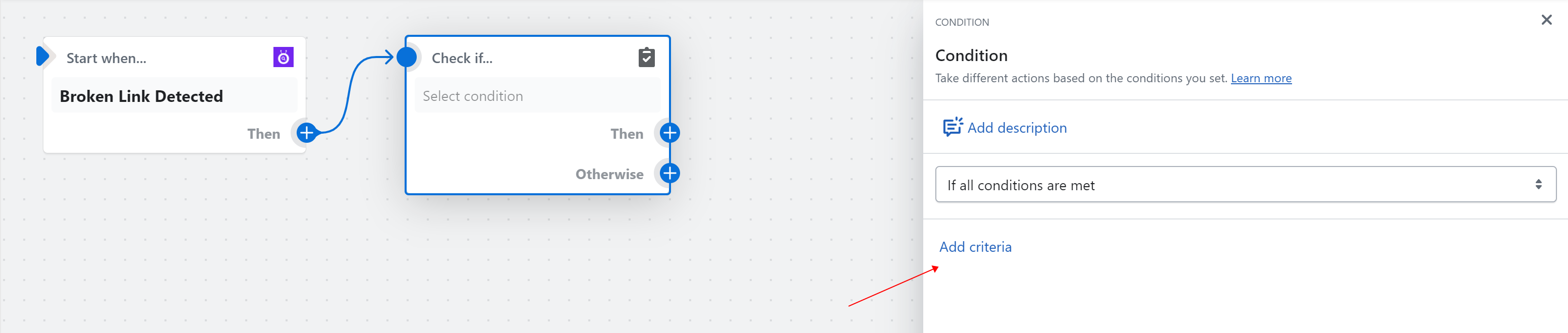
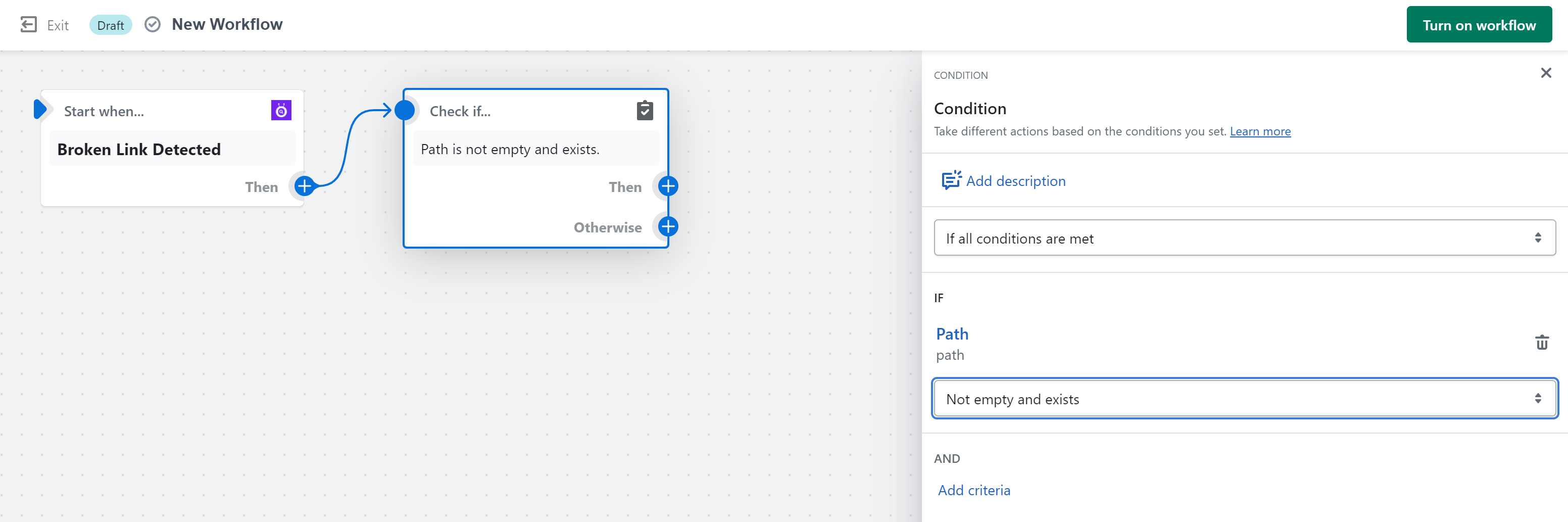
Click Condition.

Click Add criteria and Click path
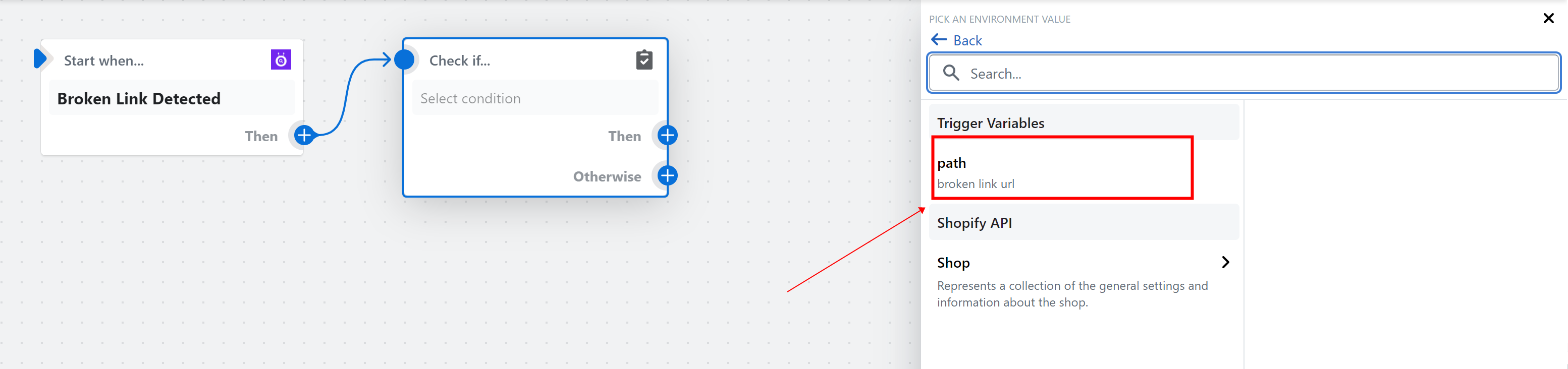
Then, set conditions as Path is not empty and exists.
Step 4
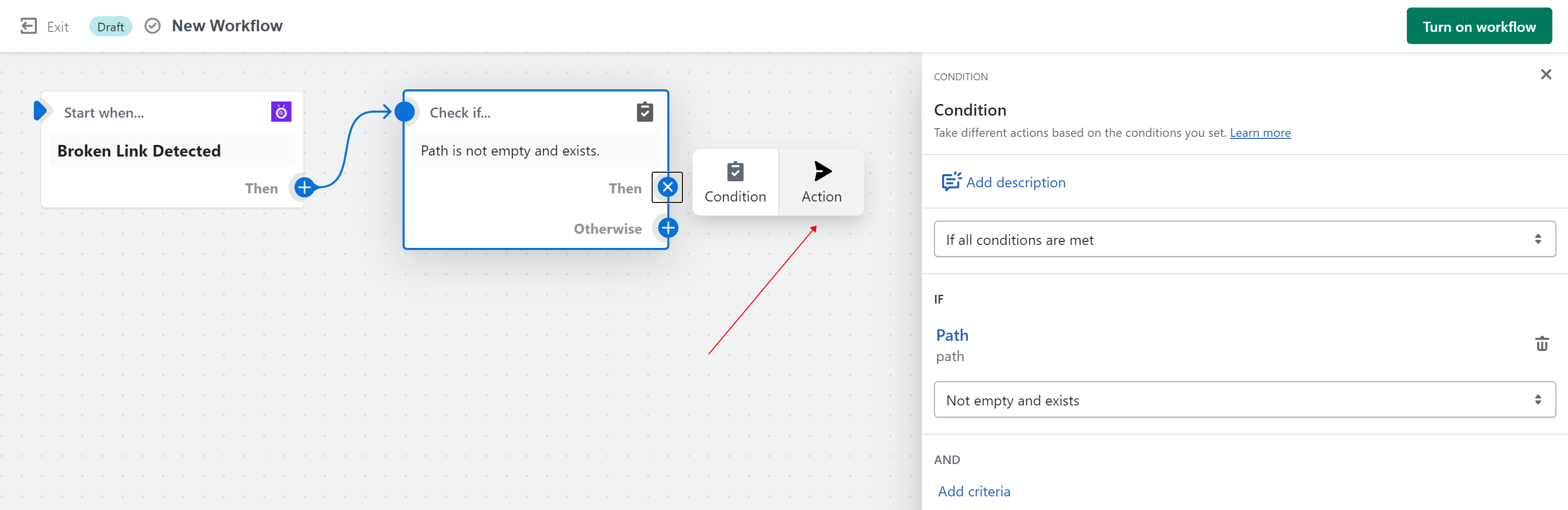
Click Action. Fill in the details on the right side.
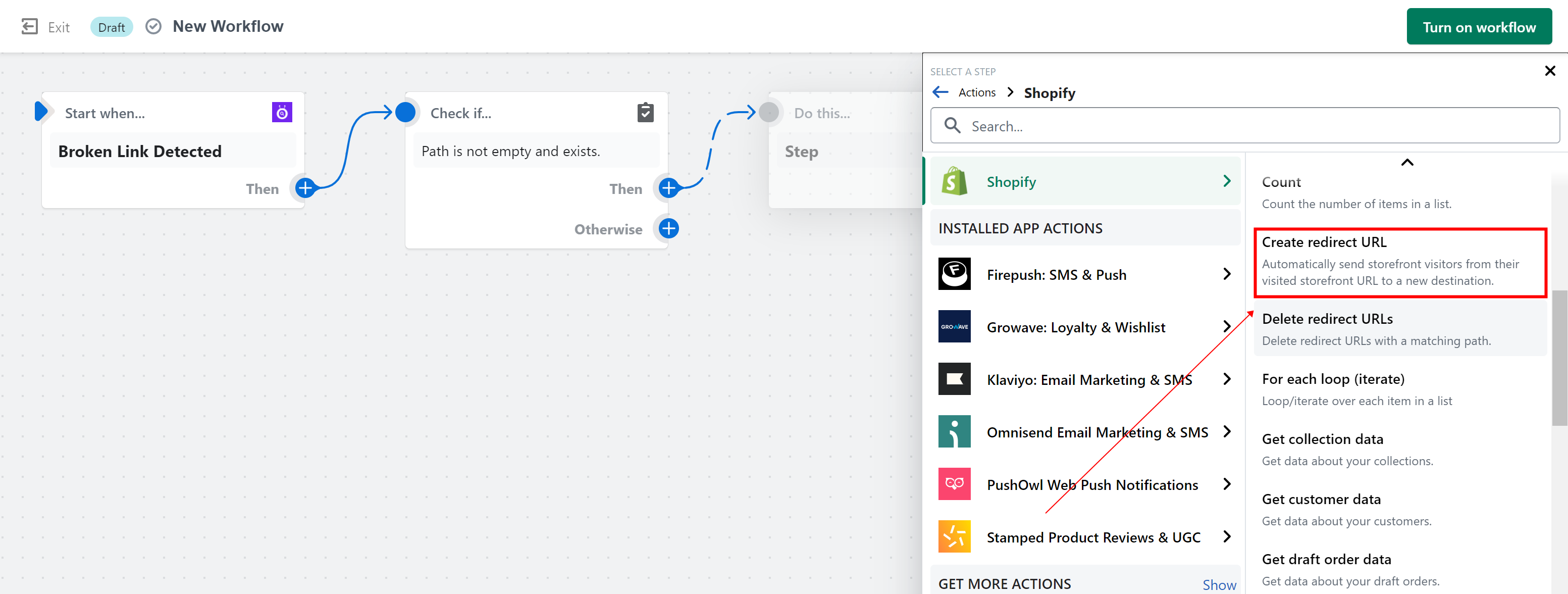
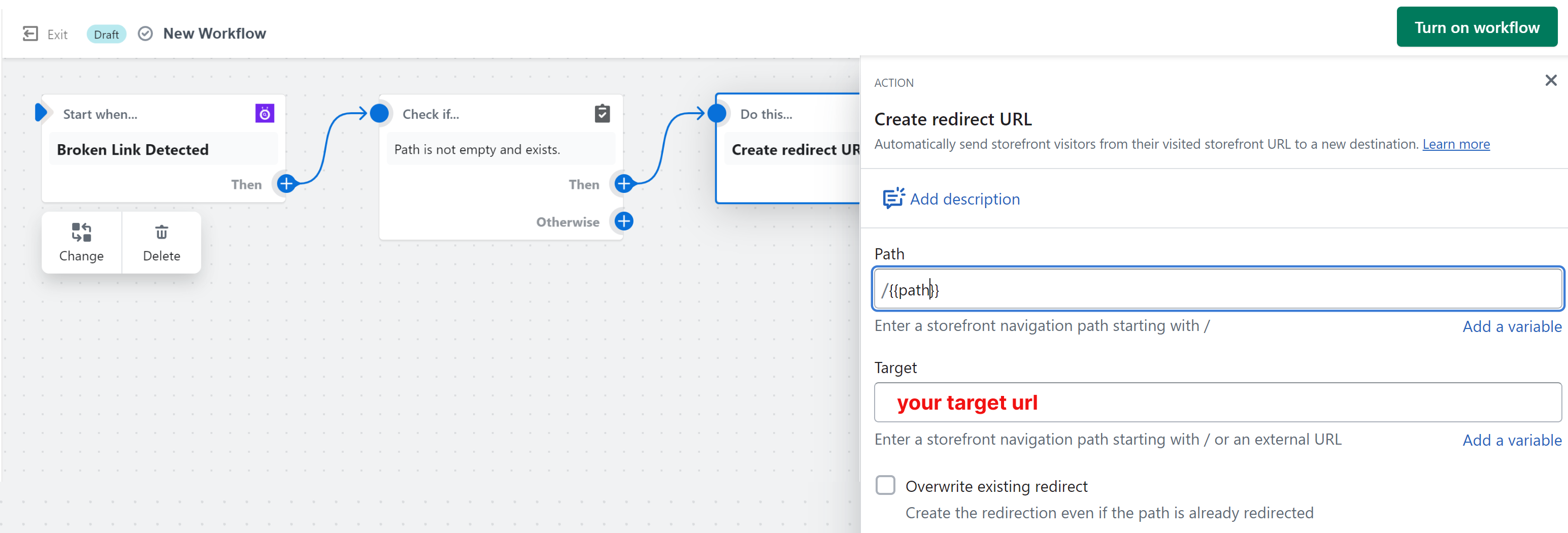
Enter the Path and Target URLs.
Step 5
Click Turn on workflow.
Once a broken link is detected by SEOAnt, a redirect will be automatically implemented in accordance with the pre-defined workflow.